

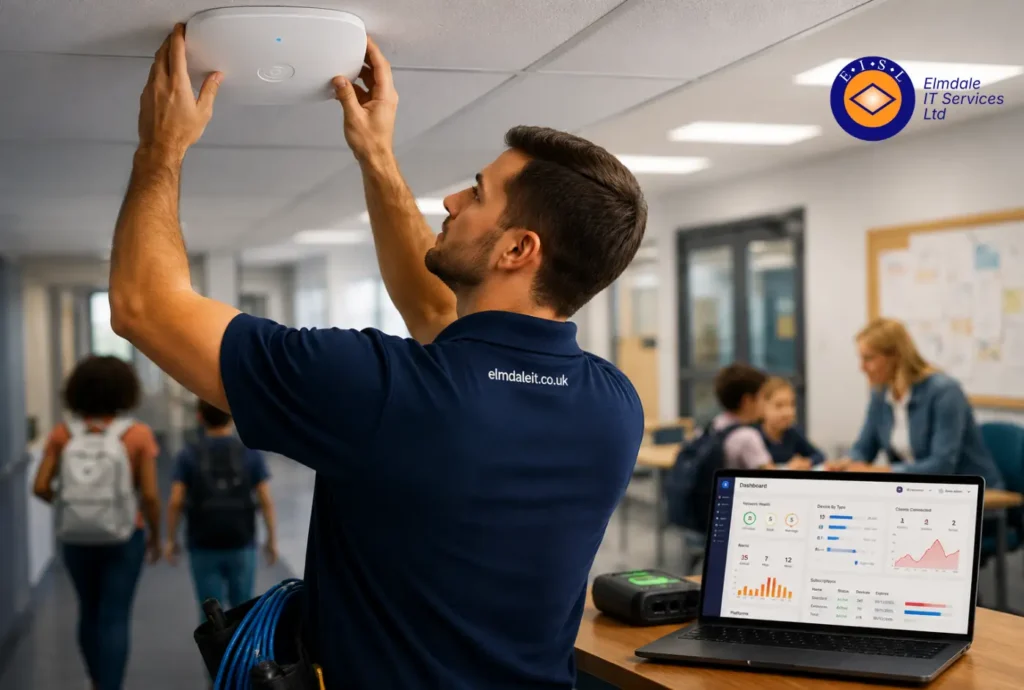
A lesson stalls quickly when thirty pupils try to get online at once and half the devices drop off the network. In schools, wireless issues are not just frustrating – they disrupt teaching, affect safeguarding systems, and create extra work for already stretched staff. That is why school wifi installation services need to be planned properly from the outset, not treated as a basic add-on.
A school’s wireless network now supports far more than classroom browsing. It carries interactive whiteboards, staff laptops, tablets, printers, cloud platforms, VoIP phones, CCTV, door access systems and, in many cases, guest access for visitors and contractors. If the network is unreliable, every part of the school day feels the impact.
What good school wifi installation services should actually deliver
The aim is not simply to provide signal in every room. A strong school wireless installation should give you dependable coverage, enough capacity for busy periods, sensible security controls and room to grow. Those are related, but they are not the same thing.
Coverage is the most obvious requirement. Dead spots in classrooms, halls or offices cause immediate problems. Yet a site can have full signal bars and still perform badly if too many users are sharing the same access points. Capacity matters just as much, especially in schools where an entire year group may log in at the same time.
Security is equally important. Schools hold sensitive data, rely on cloud systems and have a duty to manage access appropriately for staff, pupils and visitors. A network that works well but is poorly segmented can create unnecessary risk. The best design separates traffic clearly, so a guest device cannot sit on the same part of the network as safeguarding records or core administrative systems.
Then there is long-term suitability. A nursery, a primary school and a large secondary site do not need the same wireless setup. Even two similar schools may have very different usage patterns depending on building layout, age of construction, device numbers and digital learning plans. The right installation reflects how the school actually operates.
Why schools need a different approach to wireless design
School buildings are rarely straightforward. Victorian walls, temporary classrooms, sports halls, thick partitions and separate blocks all affect wireless performance. A solution that looks fine on paper can fail badly once it meets the reality of the site.
This is where proper surveying and planning make the difference. Rather than guessing where access points should go, an experienced installer will assess the environment, user density and likely interference. That includes considering not just teaching rooms, but libraries, staff rooms, reception areas and outdoor spaces where connectivity may still be needed.
There is also the question of timing. Schools cannot tolerate prolonged disruption during term time, particularly around exams, admissions periods or reporting deadlines. Installation work therefore needs to be carefully scheduled, with clear communication about what will happen, when, and what impact staff should expect. In practice, that often means combining out-of-hours work, holiday installation windows and staged deployment.
Planning a school wireless network properly
The strongest projects begin with questions, not equipment. How many devices are in use now? How many are likely within two or three years? Which systems depend on wireless? Are there separate requirements for sixth form, boarding, or multi-building administration? Does the school need filtered guest access for parents’ evenings or events?
These details shape the design. A small primary school may need reliable coverage and straightforward management, while a larger secondary school may need denser access point placement, stronger segmentation and more advanced monitoring. There is no value in overspending on features that will never be used, but underspecifying a network creates a more expensive problem later.
Bandwidth from the internet connection is part of the picture as well, though it should not be confused with wireless quality. Schools sometimes assume poor WiFi is purely a broadband problem, when the real issue is internal network design. At other times, the wireless is sound but the internet connection is too limited for cloud-heavy teaching. A provider should be able to distinguish between the two and advise honestly.
Coverage, capacity and roaming
In school environments, these three elements need to work together. Coverage ensures users can connect. Capacity ensures performance remains stable when classrooms fill up. Roaming allows devices to move between areas without dropping connections, which matters for staff using laptops, tablets or wireless phones across the site.
Getting this wrong often leads to familiar complaints: lessons slowing down at certain times, video calls buffering, login delays, or one classroom performing much worse than the room next door. These issues are usually symptoms of design choices, not bad luck.
Security and safeguarding considerations
A school network has to do more than authenticate users. It should support appropriate separation between administrative systems, teaching devices, staff access and guest users. That segmentation reduces risk and helps contain issues if a device is compromised.
Wireless security should also sit alongside wider cyber measures such as filtering, endpoint protection, secure backups and access controls. WiFi is one part of the school’s technology estate, not a standalone item. Treating it in isolation can leave gaps that only become obvious after an incident.
Common mistakes when buying school wifi installation services
One of the most common mistakes is choosing on price alone. Cost matters, particularly in education, but the cheapest quote can become expensive if it leaves parts of the site with poor coverage or requires remedial work a year later. A lower upfront figure does not always represent better value.
Another issue is relying on generic designs. Schools are often offered standard packages with a fixed number of access points and little real discussion of the site. That may work for simple offices, but schools have different usage patterns and constraints. A site-specific design is usually worth the extra thought.
There is also a tendency to focus heavily on hardware brand names. Good equipment matters, but the outcome depends on design, placement, configuration and support just as much as the badge on the box. Even strong hardware can underperform if installed badly.
Finally, some schools overlook the importance of ongoing management. Wireless networks are not purely fit-and-forget. Firmware updates, performance monitoring, security reviews and support for changing device numbers all matter over time. If a problem appears during the school day, knowing who is responsible for fixing it is just as important as the original installation.
What to expect from a reliable provider
A dependable provider should start by understanding the school, not by pushing a standard package. That means discussing current frustrations, future plans, safeguarding requirements, budget limits and operational realities. Advice should be practical and easy to follow, without burying decision-makers in technical language.
You should also expect clarity around surveying, installation scope, timescales and support. If there are trade-offs – for example, between budget and ideal coverage in a difficult area – those should be explained openly. Good advice is rarely about pretending every option is perfect. It is about helping the school make an informed decision.
Local presence can make a real difference here. For schools across Berkshire, Hampshire, Surrey, Dorset, Wiltshire and London, working with a provider that can respond quickly on site offers reassurance that remote-only support often cannot. Elmdale IT Services, for example, takes a tailored approach built around each organisation’s needs rather than a one-size-fits-all installation.
School wifi installation services and long-term value
The real test of a wireless installation is not how it performs on day one. It is how well it supports teaching, administration and school operations over the next several years. A well-planned system reduces complaints, supports digital learning confidently and avoids the cycle of patching weak points one at a time.
That long-term view matters because school technology rarely stands still. Device numbers increase, software shifts to the cloud, and expectations from staff and pupils continue to rise. A network that only just copes now will struggle quickly. Building in sensible headroom is usually more cost-effective than repeated upgrades under pressure.
Schools also benefit when wireless planning is tied into broader IT strategy. If telephony, cyber security, cloud services and backup planning are all being reviewed, the wireless network should be part of that conversation. Joined-up decisions tend to produce better results than isolated upgrades.
Choosing school wifi installation services is therefore less about buying internet access and more about creating a dependable foundation for everyday school life. When the network is right, teachers can teach, pupils can learn, and administrators can get on with running the school without technology constantly demanding attention. That is the kind of IT improvement people notice mainly because the complaints stop.