

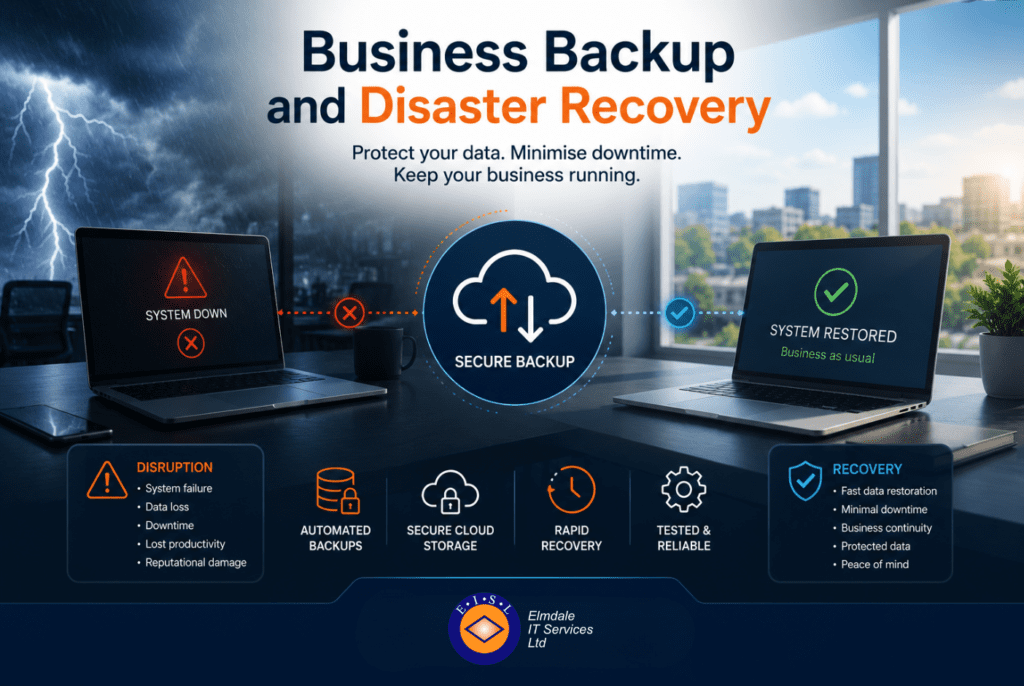
A member of staff deletes the wrong folder on Friday afternoon. On Monday morning, finance cannot access key files, the phones are patchy, and nobody is quite sure what was stored where. That is the point when business backup and disaster recovery stops being a technical nice-to-have and becomes a business-critical decision.
For many organisations, the real risk is not simply data loss. It is lost time, missed orders, disrupted lessons, damaged reputation and the cost of trying to piece everything back together under pressure. Backups and disaster recovery are often spoken about as if they are the same thing, but they solve different parts of the same problem. One helps you recover data. The other helps you recover the business.
What business backup and disaster recovery actually means
Backup is the process of making secure copies of your data so it can be restored if the original is deleted, corrupted or encrypted by ransomware. Disaster recovery is the wider plan for getting systems, services and users working again after a serious incident.
That incident could be a cyber attack, server failure, power problem, flood, fire, accidental deletion or a failed software update. In some cases, the issue is local to one device. In others, the whole organisation is affected. A backup gives you something to restore from. A disaster recovery plan sets out how that restoration happens, in what order, and how quickly.
This distinction matters because many organisations believe they are protected when they only have a basic file copy or a cloud sync service in place. That may help with day-to-day mishaps, but it may not be enough if a full server fails, a cyber incident spreads across the network, or key systems need to be brought back online in a controlled way.
Why simple backups are not always enough
A backup is only useful if it is current, secure and recoverable within a sensible timeframe. That sounds obvious, yet plenty of businesses discover gaps only when they need to restore something urgently.
One common issue is relying on a single backup method. If data is copied to one location only, and that location is also compromised, the backup may be unusable. Another is assuming that Microsoft 365 or other cloud platforms provide complete protection for everything by default. While cloud services offer resilience, they do not always cover long-term retention, fast recovery from accidental deletion, or full restoration after malicious activity in the way organisations expect.
There is also the question of speed. Restoring one file is very different from rebuilding a core server, recovering line-of-business applications and reconnecting staff across multiple sites. If your backup exists but it takes three days to restore essential systems, the business impact may still be severe.
The business case for disaster recovery
Disaster recovery is about priorities as much as technology. When an incident happens, what must come back first? For one organisation, it may be access to customer records and email. For a school, it may be safeguarding systems, classroom access and telephony. For a growing business, it may be finance, shared files and remote access for staff.
Without a clear plan, recovery becomes improvised. Teams make decisions under stress, responsibilities are unclear, and downtime stretches longer than it should. A proper disaster recovery approach defines critical systems, acceptable downtime, recovery steps and communication procedures. It brings structure to a situation that can otherwise become expensive very quickly.
This is where tailored planning matters. Two businesses of similar size can have completely different recovery needs. A firm with heavy reliance on specialist applications may need image-based backups and rapid server failover. Another may be better served by cloud-first protection with clear user-level restoration options. The right answer depends on how the organisation operates, what it can tolerate, and where the real risks sit.
What a good business backup and disaster recovery strategy includes
A practical strategy starts with knowing what needs protection. That includes servers, desktops, laptops, Microsoft 365 data, cloud platforms, shared drives and, in some cases, phones or specialist systems. If you do not know where critical data lives, it is difficult to protect it properly.
The next step is deciding how much data loss is acceptable and how long systems can be unavailable. These are often called recovery objectives, but the principle is simple. If your backups run once a day, you could lose nearly a day’s work. If a key system takes eight hours to restore, can the organisation function during that time?
From there, the strategy should cover backup frequency, storage locations, encryption, access control and retention periods. It should also account for off-site copies and protection from ransomware. Backups that are connected permanently to the live network can be vulnerable if an attack spreads.
Just as important is testing. A backup that has never been tested is a risk, not reassurance. Restores should be checked regularly, and disaster recovery processes should be reviewed so everyone understands what happens if systems fail. This does not need to be disruptive, but it does need to be real enough to expose weaknesses before an actual incident does.
Common mistakes organisations make
The first mistake is treating backup as a tick-box purchase rather than an ongoing service. Technology changes, staff come and go, systems move to the cloud, and data volumes grow. Protection that was suitable two years ago may not fit the business now.
The second is focusing only on the server room and overlooking remote users. Laptops, home working, mobile devices and cloud applications have widened the backup picture. If key information is being created outside central systems, your strategy needs to reflect that.
The third is assuming cyber security and backup sit in separate boxes. They are closely linked. Strong security reduces the chance of an incident, but no protection is perfect. A sensible approach accepts that prevention and recovery both matter. If ransomware gets in, the ability to isolate affected systems and restore clean data can be the difference between a controlled response and a major operational problem.
Another frequent issue is poor communication. Decision-makers may think the business is fully covered, while the technical reality is more limited. Clear, plain-English reporting on what is protected, what is not, and how recovery would work is essential.
Cloud, on-premises or hybrid – what works best?
There is no single model that suits every organisation. Cloud backup can offer flexibility, off-site resilience and easier scaling. On-premises backup can support faster restoration for large data sets or critical local systems. A hybrid approach often gives the best balance, combining quick local recovery with secure off-site copies.
The trade-off is usually between speed, cost and complexity. Cloud-only solutions may be slower to restore in full after a major incident, depending on connection speeds and data volumes. On-premises-only approaches can create a single point of failure if the site itself is affected. Hybrid designs cost a little more, but they often provide stronger practical protection.
For many small to mid-sized organisations, the right setup is not the most elaborate one. It is the one that aligns with how the business actually works and can be managed consistently over time.
Why local support makes a difference
When systems are down, having a named IT partner who understands your environment can make recovery faster and less stressful. A generic, one-size-fits-all service may cover the basics, but it rarely offers the same confidence as a provider that has planned around your actual infrastructure, priorities and users.
That is particularly relevant for organisations that need quick decisions, on-site help when required, and clear explanations for non-technical stakeholders. In those moments, responsiveness matters just as much as the technology behind the backup platform.
For businesses and schools across the South of England, that is often where a managed approach proves its value. Providers such as Elmdale IT Services work with organisations to shape backup and recovery around operational needs, not generic assumptions. The objective is straightforward: reduce disruption, protect critical data and make recovery predictable.
Turning backup into business continuity
The strongest backup strategy is the one that supports continuity, not just restoration. That means thinking beyond files and asking practical questions. How will staff work if the office is inaccessible? Which systems need alternative access? Who signs off recovery priorities? How will customers, parents or suppliers be informed if services are affected?
These questions move the conversation from storage to resilience. They also help organisations invest sensibly. Not every system needs instant recovery, and not every workload needs the same level of protection. What matters is understanding which failures would hurt the business most and planning accordingly.
A worthwhile backup and disaster recovery plan should give you confidence, not just documentation. If an incident happens, you should know what is protected, what the next step is, and who is responsible for getting things back on track.
The best time to sort that out is well before anybody is standing in the office asking where the latest copy of the files actually is.