

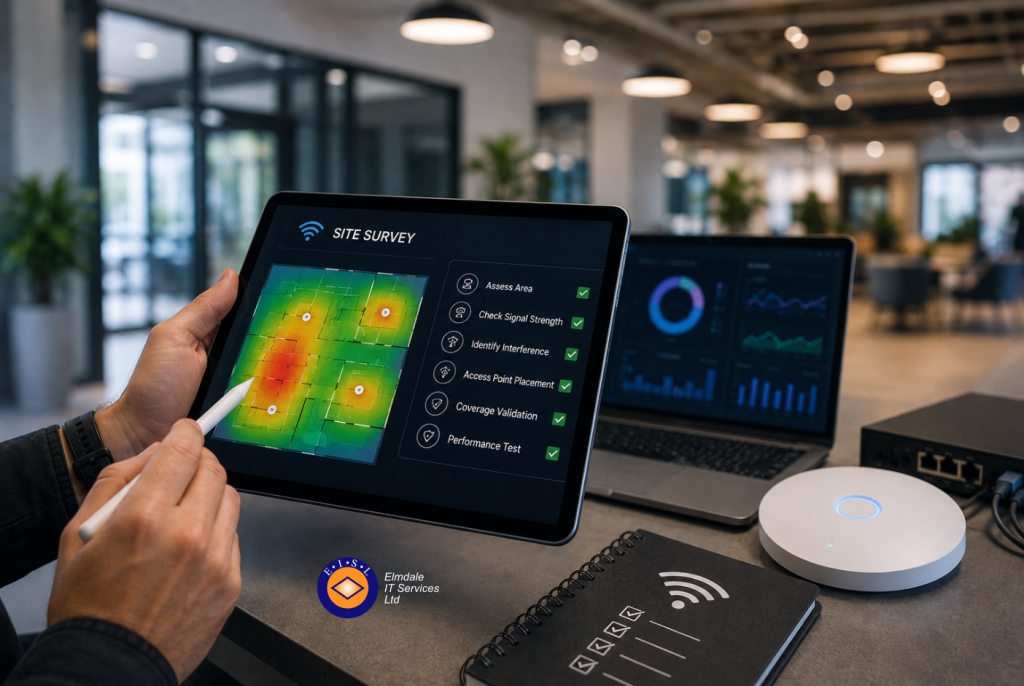
A new Wi-Fi system can look excellent on a floor plan yet fail as soon as a classroom fills up, a warehouse scanner moves between aisles, or a video call starts in a meeting room. A proper wireless site survey checklist helps prevent that outcome by testing the environment your organisation actually works in, rather than relying on assumptions about range.
For businesses and schools, wireless is now part of day-to-day operations. Staff need dependable access to cloud applications and VoIP calls, visitors expect a separate guest connection, and mobile devices must work safely throughout the premises. A survey turns those requirements into a network design that is practical, secure and proportionate to the building and its users.
Start with the outcomes, not the access points
Before anyone measures a signal, be clear about what the wireless network needs to support. Coverage alone is not the same as a good user experience. A single access point may technically reach several rooms, but performance can deteriorate when many people connect at once or when walls, machinery and neighbouring networks create interference.
Agree which areas are business-critical and which are lower priority. For example, a reception area, teaching space, boardroom, production floor or stock room may need reliable roaming and capacity at all times. A rarely used store cupboard or external smoking area may only need basic access, if any.
It is also useful to identify the applications that place the greatest demand on Wi-Fi. Video conferencing, cloud telephony, interactive teaching tools, handheld scanners and large file transfers behave differently. The design should reflect the most demanding legitimate use, rather than simply the number of devices on a spreadsheet.
Wireless site survey checklist: assess the building
The physical environment has a direct effect on wireless performance. Surveying should include a walk-through of every area where people expect a service, plus the routes users take between those areas.
Record the construction materials in walls, floors and ceilings. Brick, concrete, metal studwork, foil-backed insulation, fire doors and reinforced glass can weaken or reflect a wireless signal. Older buildings and converted premises often have unexpected dead spots, while warehouses, workshops and school halls may contain metal shelving, machinery or high ceilings that require a different approach.
Check practical installation points at the same time. Access points need suitable mounting positions, power and data cabling, and should be placed where they can perform well rather than simply where a cable is easiest to install. An access point hidden above ducting, inside a cupboard or beside large metalwork is unlikely to deliver the intended result.
Your site survey should also account for planned changes. An office refit, a moveable partition wall, additional shelving or a new teaching block can alter coverage and capacity. Designing for the premises as they will be used, not just as they look on survey day, avoids costly rework.
Measure signal, noise and interference
A useful survey considers radio frequency conditions, not only the Wi-Fi equipment you intend to install. Both 2.4 GHz and 5 GHz remain relevant in many environments, while 6 GHz may be appropriate where compatible devices, higher capacity requirements and the right equipment are in place.
The 2.4 GHz band travels further but has fewer usable channels and is commonly crowded by neighbouring networks and non-Wi-Fi devices. The 5 GHz band usually offers better capacity and more channel options, although its signal is more readily affected by walls and distance. The right balance depends on the site, the device estate and the applications being used.
During the survey, check for existing wireless networks, channel overlap, weak signal areas and sources of electrical or radio interference. Microwave ovens, Bluetooth devices, wireless cameras, older cordless equipment and industrial machinery can all affect performance. In busy office buildings, the strongest source of interference may be another tenant’s Wi-Fi network rather than anything inside your own premises.
Do not assume that increasing transmit power will solve a poor signal. It can create more contention, make roaming less predictable and leave client devices unable to send data back effectively. Careful access point placement and channel planning are usually more valuable than simply broadcasting more loudly.
Plan for people, devices and peak demand
Capacity planning is where many Wi-Fi projects fall short. Count the types of device likely to connect, not just the number of employees or pupils. One person may use a laptop and mobile phone, while classrooms may include a full set of tablets, staff devices and presentation equipment.
Consider the busiest periods. A school network may see its highest demand at the start of a lesson, while an office may be busiest during hybrid meetings or when teams arrive on site. A guest network can also create a significant demand in venues that host clients, parents, contractors or events.
The survey should define expected device density in each key area and establish the minimum acceptable service level. That might include a reliable signal threshold, sufficient capacity for simultaneous users, and dependable roaming for devices moving between access points. Critical voice or real-time applications should be tested separately because brief interruptions that go unnoticed in email can disrupt a call.
Include security and network separation
A wireless site survey is also a security exercise. The aim is not merely to connect every device, but to ensure each device connects to the right part of the network with appropriate controls.
Identify which groups need access: employees, managed school devices, administrators, guests, contractors, building systems and Internet of Things equipment. These groups should not automatically share the same network. Separating them with appropriate network segmentation limits the impact if a device is compromised and helps protect sensitive systems.
Confirm how users will authenticate. For many organisations, centrally managed credentials and enterprise-grade wireless security provide better control than a widely shared password. Guest access should be isolated from internal resources, time-limited where appropriate and easy for authorised visitors to use without involving staff in repeated support requests.
The checklist should also cover the physical security of access points, switches and cabinets, along with firmware management and monitoring. Wireless equipment is part of the wider IT estate and should be maintained accordingly.
Validate the design after installation
A predictive survey based on drawings is useful at the planning stage, especially for a new site. It should not be the final word. Once access points are installed, carry out validation testing in the real environment to confirm that coverage, capacity and roaming meet the agreed requirements.
Test from the locations where users work, not only from corridors. Walk through meeting rooms, classrooms, warehouse aisles and outdoor areas included in the scope. Check signal quality, connection stability, throughput and roaming between access points. Test at different times where possible, because a quiet building can produce misleadingly positive results.
If a particular space has specialist needs, test the real application. Make a VoIP call while moving through the area, run a video meeting from the boardroom, or use the handheld device used by warehouse staff. This provides more useful evidence than a generic speed test alone.
Document decisions for future support
Keep a record of access point locations, switch ports, cabling details, network names, security settings, channel plans and survey results. Include any known limitations, such as areas where coverage is intentionally limited or where building materials affect service.
This documentation makes future troubleshooting faster and supports sensible change planning. When an organisation expands, rearranges a floor or introduces new devices, the existing survey provides a clear starting point rather than forcing the team to begin again.
A wireless network should also be reviewed periodically. The building may not change, but device numbers, application use and neighbouring radio conditions almost certainly will.
When an on-site survey is worth the investment
Small, simple sites may need only a focused assessment, particularly where user numbers are low and the building is uncomplicated. Larger offices, schools, multi-storey premises, warehouses and sites supporting voice, guest access or high device density benefit from a more detailed professional survey.
The cost of getting the design right is usually far lower than dealing with repeated complaints, emergency cabling work and poorly placed equipment after go-live. Elmdale IT Services can assess the practical requirements of your site, explain the findings in plain English and design wireless coverage around the way your organisation operates.
Treat the survey as the first part of the Wi-Fi project, not an optional extra. It gives decision-makers the confidence to invest in the right equipment, in the right places, for a service people can depend on.