

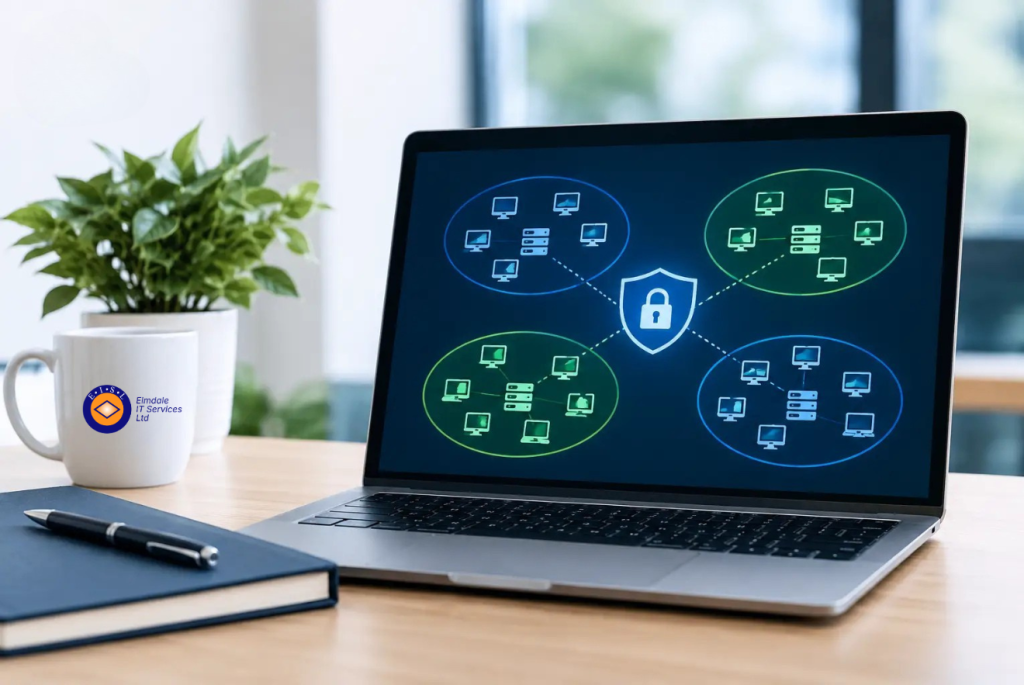
A single compromised password should not give an attacker a route to every device, file and critical system in your organisation. That is the practical reason network segmentation matters. Put simply, network segmentation explained means dividing a network into controlled sections so that users, devices and services can access only what they genuinely need.
For a growing business, school or established organisation, this is not merely a technical exercise. It is a way to reduce cyber risk, improve day-to-day control and protect the systems that keep operations running. Done properly, segmentation makes a network easier to manage without making it harder for people to work.
What is network segmentation?
Network segmentation separates one network into smaller, distinct areas, often called segments, zones or virtual LANs. Rules are then put in place to control the traffic between those areas.
Think of an office building with secure internal doors. Staff may be able to enter the main reception and their own work area, but only authorised people can enter the finance office, server room or records archive. The building remains connected, but access is deliberate rather than unrestricted.
The same principle applies to IT. A typical organisation may separate staff computers, servers, guest Wi-Fi, printers, phones, CCTV cameras, building systems and backup infrastructure. Each group has different security requirements, and there is rarely a good reason for every device to communicate freely with every other device.
Segmentation can be created using network switches, firewalls, wireless controls and carefully defined access rules. The technology is well established. The real value comes from understanding how the organisation works and designing boundaries that are sensible, secure and maintainable.
Why network segmentation matters
Many networks evolve over time. A new printer is added, then wireless coverage is extended, then cloud services, VoIP phones, remote access and smart devices are introduced. If these changes are made without an overall plan, the result can be a flat network where everything sits together.
On a flat network, a cyber criminal who compromises one device may be able to move sideways in search of more valuable targets. This is known as lateral movement. A phishing email that captures a user password, an unpatched device or an insecure visitor connection can become the starting point for a much wider incident.
Segmentation limits that spread. If a guest device is infected, it should not be able to reach staff files or administrative systems. If a vulnerable internet-connected camera is compromised, it should not have a direct path to finance data. If ransomware affects a workstation, well-designed controls can make it much harder for the attack to reach servers and backups.
This does not replace other security measures. Strong passwords, multi-factor authentication, patching, endpoint protection, backups and staff awareness remain essential. Segmentation adds another layer, reducing the damage when one of those defences does not hold.
Network segmentation explained in practical terms
The right design depends on the organisation, but several common boundaries are useful.
Staff devices are often separated from servers and core business applications. Users can still reach the systems required for their roles, but access is restricted to specific services rather than being open by default. This helps protect sensitive data and reduces unnecessary traffic.
Guest Wi-Fi should normally be separated completely from the internal network. Visitors need reliable internet access, not access to printers, shared drives or internal devices. The same applies to contractor access unless there is a defined business requirement and appropriate controls.
VoIP phones, wireless access points, CCTV, door-entry equipment and other connected devices may also need their own segment. These devices can be vital to operations, but some are not managed in the same way as computers and may have limited security features. Keeping them separate prevents a weakness in one device type from exposing the rest of the estate.
In schools, segmentation can distinguish between administration systems, staff devices, classroom technology, pupil networks and guest access. In businesses, finance, HR and operational systems may need additional protection because of the personal or commercially sensitive information they handle.
The aim is not to create as many segments as possible. It is to create clear, proportionate boundaries that reflect real risks and working practices.
The business benefits go beyond cyber security
Security is often the main driver, but segmentation can also improve reliability. Network traffic from guest devices, streaming, cameras or large downloads can be managed separately from critical business applications. This helps protect call quality for VoIP telephony and reduces the likelihood that non-essential activity affects core services.
It can also simplify fault finding. When devices and services are logically organised, IT teams can identify where a problem sits more quickly. A Wi-Fi issue in a visitor network is less likely to be confused with a fault affecting internal systems.
For organisations working towards Cyber Essentials or meeting customer security requirements, segmentation can demonstrate that access controls have been considered properly. It supports the principle of least privilege: people and systems should have only the access needed to perform their role.
There is also a continuity benefit. Separating backup systems from everyday user networks, with appropriately restricted access, gives ransomware fewer opportunities to encrypt or delete the data needed for recovery. The exact approach varies, but backup protection should be part of the segmentation conversation rather than an afterthought.
Where segmentation can go wrong
Segmentation is valuable, but poorly planned changes can disrupt legitimate work. A printer may stop responding because staff devices are no longer permitted to reach it. A telephone system may lose registration because a required service has been blocked. An application may rely on connections that were never documented.
This is why a blanket approach is rarely effective. Too few rules can leave the same risks in place; too many restrictions can create frustration, workarounds and support calls. The best designs begin with a clear picture of users, devices, applications and data flows.
Older equipment can present another challenge. Some legacy applications and specialist systems were designed for open internal networks and may require careful testing before controls are tightened. In these cases, a phased approach is often safer than changing everything at once.
Segmentation also needs ongoing management. New devices, office moves, cloud migrations and changing staff roles can all affect access requirements. Firewall rules should be reviewed periodically, documented clearly and removed when they are no longer needed.
How to approach network segmentation
A practical project starts with discovery. Identify the devices on the network, where sensitive data is held, which services are business-critical and who needs access to them. This often reveals unmanaged devices or connections that have been forgotten over time.
Next, group systems by purpose and risk. There is no universal template, but separating guest access, everyday staff devices, critical servers and internet-connected operational devices is a sensible starting point for many organisations. Define what traffic must pass between each group, then deny unnecessary communication.
Testing is essential. Changes should be introduced in a controlled manner, with clear rollback plans and checks for printing, telephony, remote access, wireless services, specialist software and backups. Monitoring after implementation helps identify unexpected activity or rules that need refining.
Finally, treat segmentation as part of the wider IT plan. A new cloud platform, a change in working patterns or a move to a new premises may all require the design to be reviewed. The network should support the organisation’s goals, not become an obstacle to them.
When should your organisation review its network?
A review is worthwhile if you are moving premises, replacing switches or firewalls, introducing VoIP, expanding wireless coverage, adopting cloud services or preparing for Cyber Essentials. It is equally relevant after a security incident, when guest Wi-Fi has grown informally, or when nobody is fully confident about what is connected to the network.
For many organisations, the most useful first step is not buying new equipment. It is gaining a clear, plain-English view of the current network and its risks. Elmdale IT Services can help assess how systems are connected, identify sensible improvements and implement controls that suit the way your organisation operates.
A well-segmented network should be largely invisible to staff: calls work, files remain available and visitors can get online safely. Behind the scenes, however, it gives your organisation more control over where an incident can travel – and more confidence that one compromised device will not become a business-wide problem.