

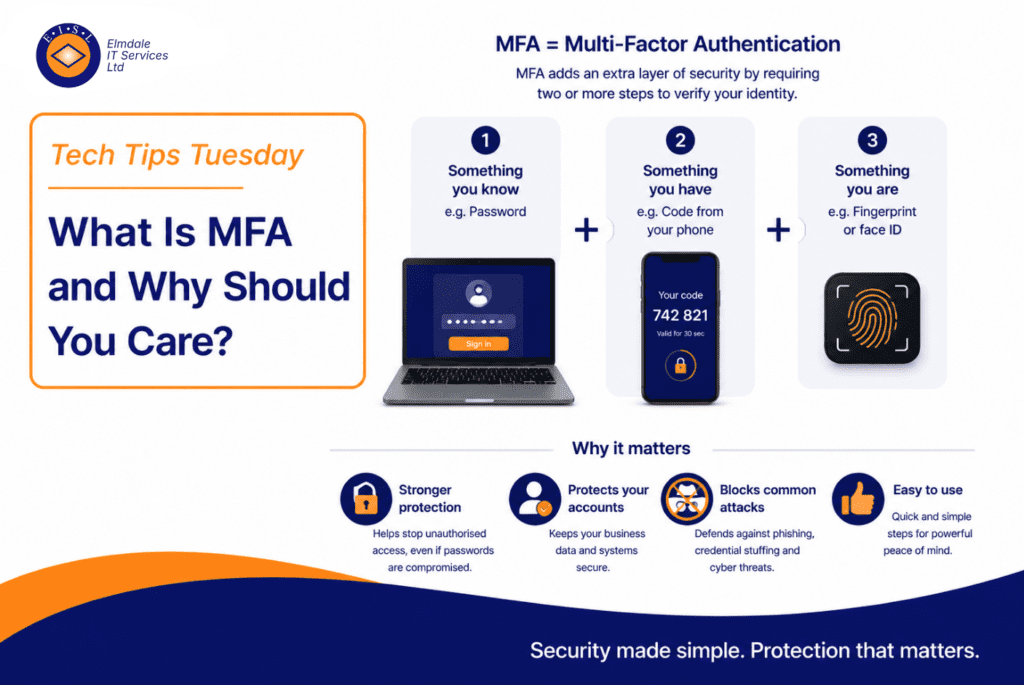
MFA stands for Multi-Factor Authentication.
That might sound technical, but the idea is simple. MFA means you need more than just a password to access an account.
It adds an extra layer of security.
Why passwords are not enough
Passwords can be guessed, stolen, reused, leaked, or tricked out of people through phishing emails.
If someone gets your password and there is no extra protection, they may be able to log in as you.
MFA helps stop that. Even if a criminal knows your password, they still need the second factor to get in.
How MFA works
MFA usually combines something you know with something you have.
For example, something you know is your password. Something you have could be your phone, authenticator app, security key, or code.
When you log in, you enter your password first. Then you approve the sign-in using another method.
Why businesses should use MFA
For businesses, MFA is one of the most important security protections you can enable.
It can help protect email accounts, Microsoft 365, cloud storage, remote access, admin accounts, finance systems, and customer data.
A compromised email account can be incredibly damaging. Attackers can monitor conversations, send fake invoices, reset other passwords, and target your customers.
MFA is not just for big companies
Some small businesses think cyber criminals only target large organisations. That is not true.
Small and medium-sized businesses are often targeted because attackers know they may have weaker security controls.
Steve’s tip
Use an authenticator app rather than SMS text messages where possible.
Text message codes are better than no MFA, but authenticator apps are generally a stronger option.
Also, make sure MFA is enabled for admin accounts as a priority. These accounts have higher privileges and can cause more damage if compromised.
Final thought
MFA is one of the easiest security wins available to most businesses. It is not perfect, but it massively reduces the risk of password-only attacks.
Elmdale IT can help configure MFA correctly across Microsoft 365, admin accounts, remote access, and business-critical systems.
Featured image: steves-tech-tips-what-is-mfa-and-why-should-you-care.webp