

One of the most common things we hear in IT support is: “The WiFi is down.”
But sometimes the WiFi is working perfectly. The actual problem is the internet connection.
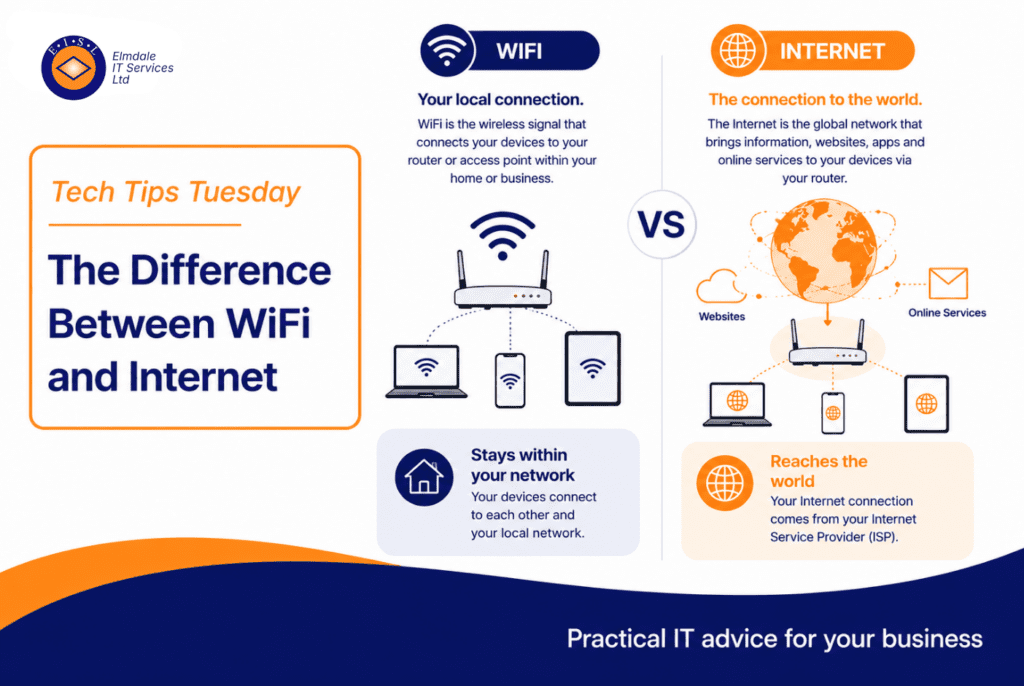
WiFi and internet are connected, but they are not the same thing.
What is WiFi?
WiFi is the wireless connection between your device and your local network.
When your laptop, phone, tablet, or printer connects to WiFi, it is connecting to a wireless access point or router in your building.
WiFi gets your device onto the local network.
What is the internet?
The internet is the external connection that allows your network to reach websites, cloud services, email, Microsoft 365, online systems, and other external services.
Your internet connection usually comes through a broadband, leased line, fibre, or 4G/5G service.
Why the difference matters
You can be connected to WiFi but still have no internet.
For example, your laptop may show full WiFi signal, but websites may not load. That could mean the wireless network is fine, but the broadband line, firewall, router, or DNS service has a problem.
You can also have good internet but poor WiFi. The internet line may be fast, but users in one part of the building may have weak signal because of poor access point placement, thick walls, interference, or overloaded equipment.
Common signs of a WiFi issue
It may be a WiFi issue if signal is weak in certain rooms, the problem changes when you move location, some devices connect but others do not, video calls drop in one area, or performance is poor at the edge of coverage.
Common signs of an internet issue
It may be an internet issue if everyone loses access at the same time, WiFi still shows connected, internal systems still work but websites do not, or the firewall/router shows the line is down.
Steve’s tip
When reporting a connection problem, try to describe what is actually happening.
Instead of saying “the WiFi is down”, say: “I am connected to WiFi, but websites are not loading.”
Final thought
WiFi and internet work together, but they are different parts of the connection. Understanding the difference makes troubleshooting quicker and helps avoid unnecessary changes to the wrong part of the network.
Elmdale IT can help with wireless surveys, WiFi upgrades, firewall configuration, internet resilience, and full network troubleshooting.
Featured image: difference-between-wifi-and-internet.webp