

A backup usually gets attention only after something has gone wrong. A deleted folder, a failed server, a ransomware incident, or a member of staff who assumed a file was saved somewhere safe when it was not. That is why the best backup practices business leaders put in place are rarely about storage alone. They are about continuity, accountability, and making sure the organisation can keep operating when technology does not behave as expected.
For many small and mid-sized organisations, the real problem is not having no backup at all. It is having something partial, outdated, or untested. A copy of files on an external drive is not the same as a proper backup strategy. Neither is assuming that because data sits in Microsoft 365 or another cloud platform, it is fully protected against every risk.
What the best backup practices for business actually mean
The phrase can sound technical, but the principle is simple. Good backup practice means your key systems and data can be restored quickly, completely, and in the right order when something goes wrong. It should cover the information your organisation relies on every day, the systems that keep it running, and the people responsible for managing recovery.
That means thinking beyond documents and spreadsheets. Email, shared drives, cloud platforms, finance systems, line-of-business applications, telephony configuration, user settings, and even device configurations may all matter. In schools and larger organisations, safeguarding records, attendance systems, and curriculum resources can be just as critical as finance data. In a commercial business, downtime in CRM, order processing, or remote access may be the issue that hurts most.
The right approach depends on the organisation. A business that can tolerate a few hours without access has different needs from one that would lose revenue or customer confidence within minutes. That is why backup should not be treated as a one-size-fits-all service.
Start with recovery, not storage
One of the most common mistakes is choosing a backup product before defining what recovery needs to look like. The better starting point is to ask two practical questions. How much data can you afford to lose, and how long can you afford systems to be unavailable?
These are often described as recovery point and recovery time objectives, but the plain English version matters more. If your accounts system is backed up once a day, are you comfortable losing everything entered since the previous evening? If a key server takes a full day to rebuild, can your team still operate? For some organisations, the answer may be yes. For others, that delay would be highly disruptive.
Once those answers are clear, the backup method becomes easier to shape. Some systems may need frequent snapshots and rapid restoration. Others may only require overnight backups with longer retention. The point is to match protection to business impact, not to treat every workload as identical.
Follow the 3-2-1 rule, but apply it sensibly
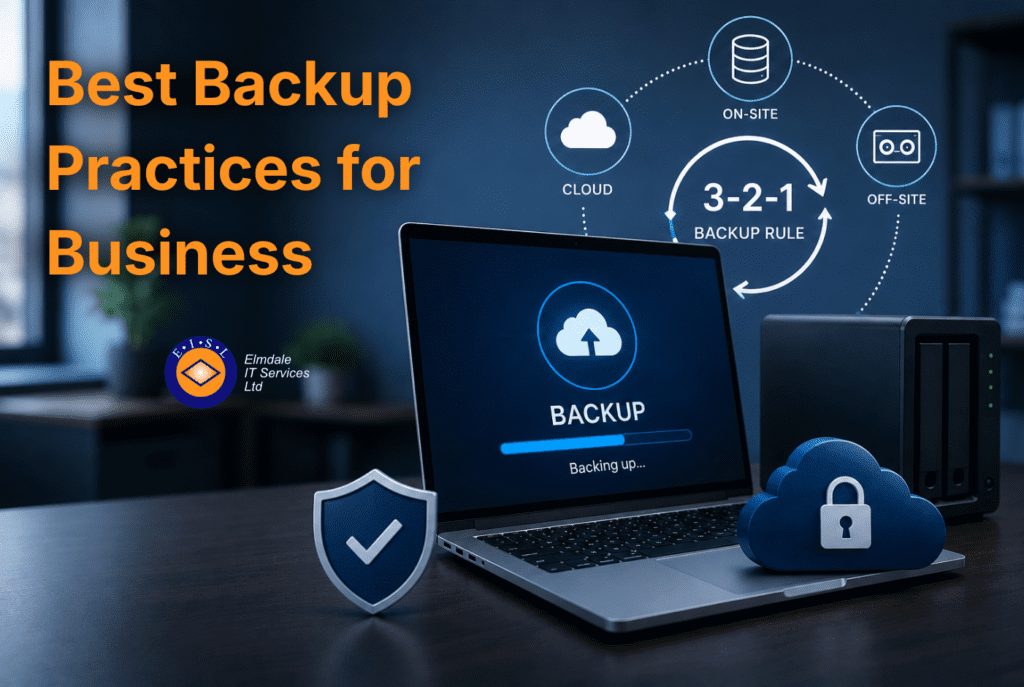
A useful foundation is the 3-2-1 principle. Keep at least three copies of data, store them on two different types of media, and make sure one copy is off site. It remains sound advice because it reduces the risk of a single point of failure.
In practice, that might mean production data on your live systems, a local backup for faster restores, and a separate off-site or cloud copy for disaster recovery. Local backups can be quicker when a file is deleted or a server needs restoring in a hurry. Off-site copies protect against fire, theft, flood, or a ransomware event that spreads across the network.
Even so, the rule is not a complete strategy by itself. You also need to consider immutability, retention, access control, and whether your cloud backup is isolated enough to remain safe if user accounts are compromised. A backup that can be altered or deleted by an attacker is a weak last line of defence.
Cloud services still need backup
This catches many organisations out. They move email, files, and collaboration into cloud platforms and assume backup is included. Cloud services do offer resilience, but resilience is not always the same as backup.
A platform may protect against hardware failure in the provider’s environment, but that does not automatically cover accidental deletion, malicious changes, policy-based retention gaps, or a compromised account that removes data before anyone notices. Shared responsibility matters here. The platform keeps the service running, but your organisation is still responsible for protecting its own information.
For businesses relying on Microsoft 365, that can include Exchange, OneDrive, SharePoint, and Teams data. If those services are central to day-to-day operations, they should be part of your backup plan rather than treated as inherently safe by default.
Security matters as much as recovery
Backups are often discussed as an operational issue, but they are equally a cyber security control. Ransomware has made that painfully clear. Attackers do not only target production systems. They increasingly look for backup repositories, admin credentials, and connected devices that can be encrypted or wiped.
That means backup security should be taken seriously. Restrict administrative access, use multi-factor authentication where available, separate backup credentials from standard user accounts, and keep a close eye on who can delete backup data. If possible, use immutable storage or retention controls that prevent backups being changed within a set period.
Encryption also matters, particularly for organisations handling sensitive client, pupil, employee, or financial information. A backup should protect confidentiality as well as availability. There is little value in restoring data successfully if the way it was stored created a compliance or security problem in the first place.
Testing is where good intentions become reliable protection
A backup is only proven when it has been restored successfully. This is the area many organisations neglect, often because the system appears to be running and reports look healthy. Unfortunately, a green tick is not the same as a tested recovery.
Regular restore testing should be part of normal IT housekeeping. That does not always mean a full disaster recovery exercise every month, but it does mean checking that files can be restored, systems can be recovered, and recovery times are realistic. It is also worth confirming that the right versions are available and that application data is complete, not just technically present.
Testing often reveals practical issues that are easy to miss on paper. Backup windows may be too short. Key applications may not recover cleanly without extra steps. Staff may not know who approves recovery or in what order systems should come back. These are far better discoveries during a test than during a real outage.
Retention should reflect risk, regulation, and reality
Keeping everything forever is expensive and often unnecessary. Keeping too little can be just as risky. The right retention policy depends on your sector, your operational needs, and any legal or compliance requirements.
Some data may only need short-term recovery points. Other records may need to be retained for months or years. Finance, HR, safeguarding, and contractual documentation often need more careful handling than general working files. A sensible backup policy distinguishes between these categories rather than applying one blanket rule to all data.
This is also where clear communication helps. Decision-makers should understand what is being backed up, how often, how long it is retained, and what is excluded. Assumptions create problems. If a department believes a legacy system is protected when it is not, recovery expectations and actual capability can quickly drift apart.
Best backup practices business leaders should review regularly
Backup should not be left untouched after the initial setup. Organisations change. People adopt new software, move files into new platforms, open additional sites, support more remote workers, and create more data than they did a year ago. A backup design that suited the business two years ago may now leave gaps.
Regular reviews help keep protection aligned with reality. That includes checking whether new systems are covered, whether storage and retention are still appropriate, and whether recovery priorities have changed. It is also worth reviewing backup alerts, reporting, and responsibility. If a backup fails overnight, who notices, and how quickly is it corrected?
This is often where working with an experienced IT partner adds real value. A provider such as Elmdale IT Services can look at backup in the context of the wider estate, including cyber security, cloud usage, device management, and disaster recovery planning, rather than treating it as an isolated tool.
A practical approach for growing organisations
The strongest backup strategy is not always the most complicated one. It is the one your organisation understands, maintains, and can rely on under pressure. For most small to mid-sized businesses and schools, that means clear recovery priorities, layered backups, secure off-site protection, regular testing, and straightforward reporting that gives confidence rather than confusion.
If your current setup depends on assumptions, manual checks, or an arrangement no one has reviewed in years, it is worth asking a simple question. If a critical system failed this afternoon, would you know exactly what happens next? That answer usually tells you more about your backup position than any dashboard ever will.
A good backup plan should help your organisation feel prepared, not merely compliant. When it is designed around the way you actually work, it becomes part of business continuity rather than just another IT task in the background.