

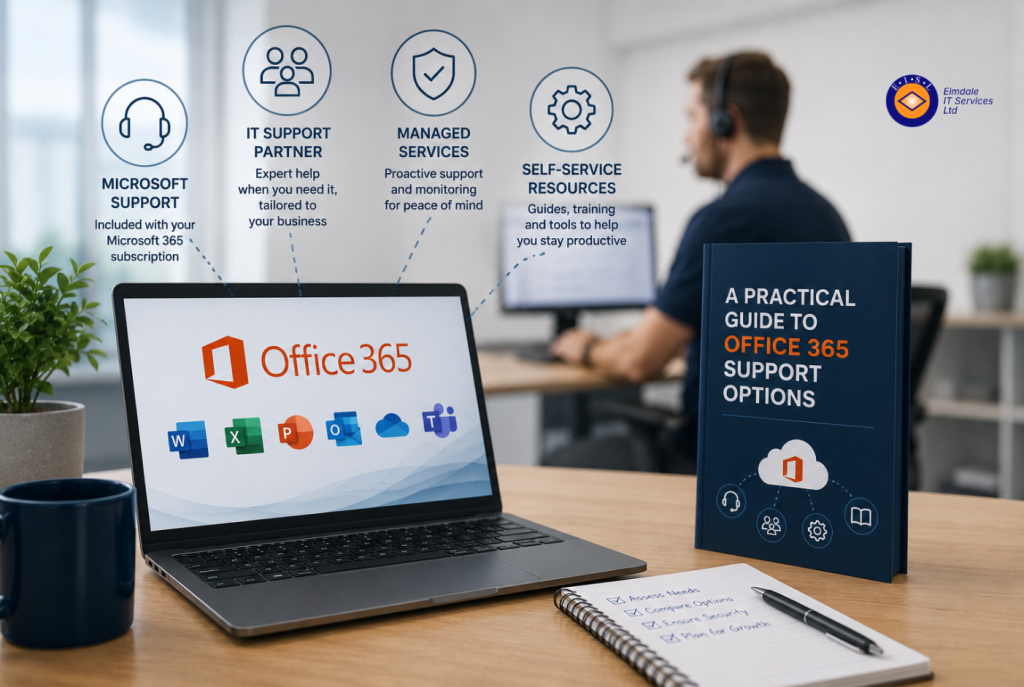
When email stops working at 8.30am, a staff member cannot access a shared file, or a suspicious sign-in alert appears, the question is not whether your Microsoft 365 system has support. It is whether the available support will resolve the issue quickly, securely and with minimal disruption. This guide to Office 365 support options explains where organisations can turn for help and what each route is designed to achieve.
Office 365 is now part of Microsoft 365, but many organisations still use the original name. Whatever you call it, the platform sits at the centre of day-to-day work: email, calendars, Teams meetings, document sharing, device access and security. That makes the right support arrangement a business continuity decision, not simply an IT purchasing choice.
The main Office 365 support options
Most businesses and schools use a combination of Microsoft’s own resources, internal knowledge and external IT support. The right balance depends on the size of your organisation, the skills available internally, the sensitivity of your information and how costly downtime would be.
Microsoft’s standard support
Microsoft provides support through its administration portals for customers with eligible Microsoft 365 subscriptions. Administrators can raise service requests, check known incidents and access technical documentation. This can be useful for platform-wide faults, licensing queries and issues that require Microsoft’s direct involvement.
However, standard vendor support is primarily designed to address the Microsoft service itself. It does not usually manage your wider environment, such as local networks, laptops, printers, third-party applications, telephony or the way staff work. Response times and the experience of raising a case can also vary according to the subscription level and the nature of the fault.
For an organisation with a capable in-house IT team, this may be perfectly suitable. For a smaller business, school office or operations team, it can leave a gap between identifying a problem and getting a practical answer in plain English.
Self-service resources and user training
Microsoft 365 includes extensive online guidance, help articles and training materials. These resources are valuable for straightforward tasks, such as recovering a deleted file, setting up a new Outlook profile or learning how Teams channels work.
Self-service works best when staff have clear boundaries. A confident user may be able to solve a simple issue, but changes to security settings, multi-factor authentication, email rules or sharing permissions can have wider consequences. It is sensible to give users guidance on common tasks while keeping administrative access controlled.
Training also reduces support demand. If employees understand where files should be stored, how to share them safely and how to identify phishing emails, the organisation sees fewer avoidable problems and less risk around sensitive data.
Internal IT support
Larger organisations may have an internal IT manager or team responsible for Microsoft 365 administration. This provides close knowledge of users, processes and systems, and can be highly effective where there is enough capacity to cover both daily requests and longer-term planning.
The challenge is breadth. Microsoft 365 changes regularly, and effective administration now spans identity management, device policies, email protection, data retention, backup, collaboration controls and cyber security. One person may be able to keep operations moving, but may not have the time to monitor improvements, test recovery processes or investigate complex security alerts.
Internal teams often benefit from specialist escalation support. An external partner can take on routine tasks, provide cover during absence and offer a second opinion when a project or incident demands additional expertise.
Managed IT support from a Microsoft specialist
For many small and mid-sized organisations, managed IT support provides the most practical route. A managed service provider can act as the day-to-day point of contact for Microsoft 365 queries while also looking after the systems around it.
This approach can include user support, account creation and removal, licence management, mailbox and Teams administration, security monitoring, device management and guidance on using the platform effectively. Rather than being passed between Microsoft, an internet provider and several software suppliers, your team has one accountable support partner to investigate the issue.
A good provider should adapt the service to your organisation. A school may need carefully managed staff and pupil access, safeguarding considerations and support around shared devices. A growing business may need secure remote working, reliable Teams calling and a smooth process for onboarding new starters. There is no single support package that fits every environment.
What to expect from a support partner
A useful guide to Office 365 support options should look beyond the helpdesk. The quality of support is measured not only by how quickly a ticket is closed, but by whether the underlying issue is understood and prevented from returning.
Look for clear response arrangements and an easy way for staff to request help. You should know what counts as an urgent incident, how issues are prioritised and whether on-site assistance is available when remote support is not enough. Local accountability can matter, particularly where connectivity, hardware or a site-based problem is involved.
Security should be central to the service. Microsoft 365 is a frequent target for phishing, password attacks and fraudulent email rules. Effective support should cover multi-factor authentication, secure configuration, suspicious sign-in reviews, email protection and sensible access controls. It should also help staff report concerns without feeling they are being overly technical.
Ask how the provider handles leavers and new starters. Promptly removing access when someone leaves is a basic but essential security control. New users should receive the right licence, permissions, device setup and guidance from their first day, rather than inheriting an account with unclear access to shared information.
Support, backup and security are separate decisions
A common misunderstanding is that Microsoft 365 support automatically includes backup and complete protection against data loss. Microsoft provides resilience for its platform, but organisations remain responsible for their own information, user access and retention requirements.
Files can be deleted, overwritten or encrypted by ransomware before anyone notices. Mailboxes may need to be restored beyond a standard retention period. A well-planned Microsoft 365 backup service can provide an independent copy of email, OneDrive, SharePoint and Teams data, with recovery options that match your operational needs.
The same distinction applies to cyber security. Licensing a security feature does not mean it has been correctly configured or actively monitored. Your support arrangement should make clear who is responsible for setting policies, responding to alerts and reviewing whether protections remain appropriate as the organisation changes.
Choosing the right level of help
Start with the consequences of a problem. If email, Teams or shared files are unavailable for half a day, what does that mean for customers, staff, teaching or service delivery? If a user account is compromised, who can investigate and contain it? These answers will indicate whether basic vendor support is enough.
It is also worth reviewing the skills and time available internally. A knowledgeable office manager may be able to handle straightforward administration, but should not be expected to diagnose a complex authentication fault or lead a response to a suspected breach. The goal is not to outsource every click. It is to ensure the right person handles each level of work.
Before selecting a provider, ask practical questions about coverage, escalation, security responsibilities, reporting and project work. Confirm whether licence costs are separate, whether support includes user training and what happens if a fault sits outside Microsoft 365. Clear scope prevents surprises later.
For organisations across Berkshire, Hampshire, Surrey, Dorset, Wiltshire and London, Elmdale IT Services can provide tailored Microsoft 365 support alongside wider managed IT, cyber security and continuity planning. That joined-up approach is particularly valuable when an apparent Office 365 issue is actually caused by a device, network or user-access problem.
The best support option is the one that gives your people confidence to work without hesitation, while ensuring expert help is available before a minor issue becomes a costly interruption.