

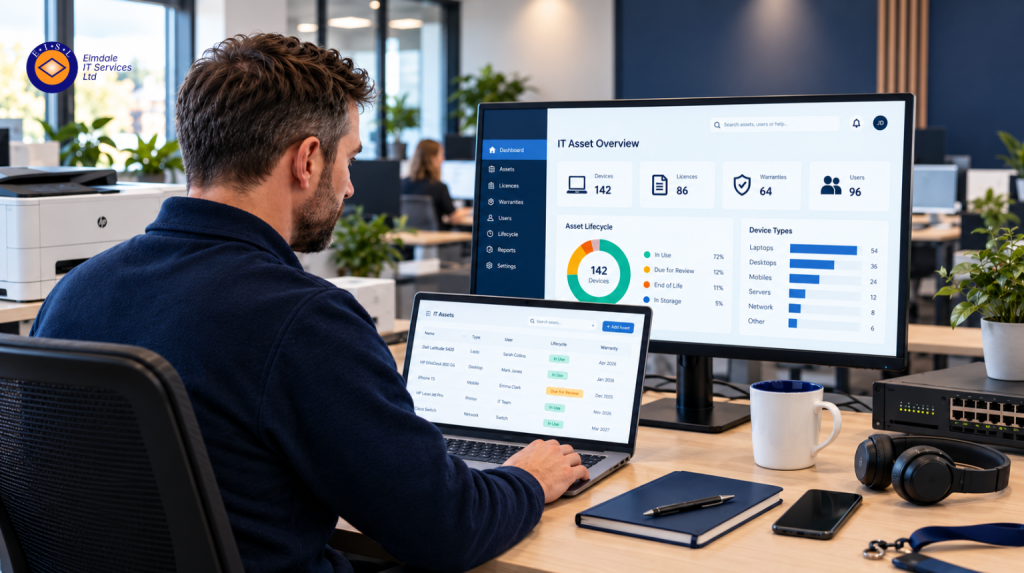
A missing laptop is not just an inconvenience. It may contain sensitive information, access to cloud systems, saved passwords or school records. Equally, an overlooked server warranty or unsupported operating system can turn a routine working day into an expensive outage. Knowing how to manage IT assets gives your organisation control over the technology people rely on, before small gaps become serious risks.
IT asset management is not simply a spreadsheet of laptops. It is the ongoing process of recording, securing, maintaining, replacing and retiring the hardware, software and services that support your organisation. Done well, it helps businesses and schools make sound purchasing decisions, meet security obligations and give staff the right tools to work effectively.
Start with a complete picture of your IT assets
You cannot manage what you cannot see. The first task is to create a reliable inventory covering every technology asset in use, whether it is owned, leased, cloud-based or issued to a member of staff.
For physical equipment, record the device type, manufacturer, model, serial number, purchase date, warranty end date, location and the person responsible for it. Include laptops, desktops, monitors, mobile phones, tablets, printers, servers, network switches, wireless access points and backup equipment. Small devices are often the easiest to overlook, particularly when teams work between office, home and client sites.
Your inventory should also cover non-physical assets. This includes Microsoft 365 licences, line-of-business applications, cloud storage, domains, VoIP subscriptions, security tools and user accounts. In many organisations, software subscriptions are now as commercially significant as the hardware on desks.
A spreadsheet can be a sensible starting point for a small organisation with limited equipment. As the estate grows, however, manual records become difficult to keep accurate. Asset management software, remote monitoring tools and procurement records can provide a clearer view, provided someone is responsible for maintaining the information.
Assign ownership, not just a location
Every asset should have a clear owner. That might be an individual employee, a department, a classroom or an IT lead. Ownership makes handovers, investigations and replacement planning far easier.
For shared devices, record both the usual location and the person or team accountable for checking them. This is particularly useful for schools, meeting-room equipment, loan laptops and devices kept for new starters. A laptop labelled only as “Office” can disappear into a cupboard. A laptop assigned to a named role is more likely to be returned, updated and replaced at the right time.
Build asset management into everyday processes
The most accurate asset register is one that updates as part of normal work. If recording an asset only happens during an annual audit, it will be out of date within weeks.
When a new starter joins, their device, accessories, software licences and access permissions should be recorded before they begin work. When somebody changes role, review whether they still need the same applications, data access and equipment. When they leave, recover devices promptly, remove access, transfer any business data and update the register.
The same discipline applies to purchasing. Avoid buying equipment outside an agreed process where possible. A centrally managed request route allows your organisation to check compatibility, security requirements, support arrangements and total cost before placing an order. It also prevents different teams from buying duplicate tools that solve the same problem.
A simple lifecycle status is useful here: ordered, in stock, assigned, under repair, spare, retired or disposed of. It provides an immediate answer when someone asks what equipment is available or whether a licence can be reused.
How to manage IT assets securely
Asset management and cyber security are closely linked. An unknown device cannot be patched, encrypted, backed up or removed from the network when it is no longer needed. Unknown software creates similar problems, especially where staff have installed applications without a clear approval process.
Set a baseline for devices that access business systems. For most organisations, this should include supported operating systems, security updates, anti-malware protection, full-disk encryption, multi-factor authentication and secure user accounts. The exact controls depend on the organisation and the sensitivity of its information, but consistency matters more than having an impressive policy that is not followed.
Keep a record of which devices can access important systems and which accounts have administrative privileges. Review these regularly, especially after staff changes. A former employee’s unused account or an old shared mailbox may seem harmless, but it can become an easy route into the organisation.
For mobile devices, consider whether mobile device management is appropriate. It can help enforce security settings, separate work information from personal use and remove company data remotely if a device is lost. The right approach depends on whether phones are company-owned, personally owned or used by a mixed workforce. Clear policies and fair communication are essential when personal devices are involved.
Plan for maintenance and replacement before failure
Technology has a working life, even if it still powers on. Older laptops may no longer run current software efficiently. Servers may be outside warranty. Network equipment may lack the security features or performance needed for a growing team.
A replacement plan turns these issues from unexpected emergencies into budgeted decisions. Group assets by age, warranty status, condition and business importance. A five-year-old laptop used occasionally may be acceptable, while a five-year-old server supporting critical systems deserves closer attention.
There is no single replacement timetable for every organisation. Laptops are often reviewed after three to five years, but usage patterns matter. Devices used for design, finance processing or field work may need replacing sooner than machines used for light administrative tasks. Similarly, cloud services can reduce dependence on on-site servers, but they do not remove the need to manage licences, internet resilience, user access and backups.
Keep records of repairs and recurring faults. If a device has required repeated support, the cheapest option is not always another repair. Downtime, staff frustration and lost productivity have a cost too.
Control software licences and cloud spend
Software is easy to buy and surprisingly easy to forget. A department may add a subscription for a specific project, then continue paying after the project ends. Licences assigned to former staff may remain active. Different teams may pay for tools with overlapping features.
Review subscriptions at regular intervals and compare active licences with real usage. Reclaim licences where possible, remove unnecessary applications and check renewal dates well in advance. This creates room for better investment, whether that means improved security, faster devices or a more suitable collaboration platform.
Do not focus on cost alone. The least expensive licence may not provide the security controls, support or storage capacity your organisation needs. The aim is to match technology to genuine requirements, rather than paying for features nobody uses or limiting staff with unsuitable tools.
Audit, report and improve
A regular audit confirms whether your records match reality. For a smaller organisation, a quarterly check of high-value devices and accounts may be enough, with a fuller annual review. Larger or more regulated organisations may need more frequent checks and clearer reporting.
Use the findings to answer practical management questions. Which equipment is approaching end of life? Which warranties expire this year? How many unused licences are being paid for? Are all devices encrypted and receiving updates? Are there unsupported systems that need a plan?
The value of these reports is not in producing more paperwork. It is in giving leaders the evidence to budget sensibly, reduce risk and make technology decisions with confidence.
Dispose of retired assets properly
Retirement is part of the lifecycle, not an afterthought. Before a device is sold, recycled, donated or returned to a leasing provider, ensure business data is securely removed using an appropriate method. Simply deleting files is not enough.
Record the disposal date, method and any relevant certificate from the disposal provider. This helps demonstrate responsible handling of information and supports environmental commitments. It also prevents old devices from remaining on the register long after they have left the building.
A well-managed asset process gives your organisation a firmer footing: fewer surprises, better security and technology spending that supports real priorities. If the task feels difficult to begin, start with the devices and services that matter most, then build a process that your team can maintain. Elmdale IT Services can help organisations turn that process into practical, reliable day-to-day control.