

A rushed Microsoft 365 setup often looks fine on day one. Staff can send emails, save files and join Teams calls, so it feels as though the job is done. Then the cracks appear – weak security settings, confusing permissions, missing backups, and a tangle of accounts that becomes harder to manage with every new starter. That is why Microsoft 365 setup for small business needs more than a licence purchase and a quick login.
For small organisations, Microsoft 365 can be an excellent platform. It brings together email, file storage, collaboration, device management and security tools in one place. But the value comes from setting it up around how your business actually works, not simply turning features on because they are available.
What a good Microsoft 365 setup for small business should achieve
A proper setup should make daily work easier while reducing risk in the background. That means staff can access the right files, share information safely and work from the office, home or on the move without constant friction. At the same time, business data should be protected if a password is guessed, a laptop is lost or a member of staff leaves.
The balance matters. If security is too loose, your organisation is exposed. If it is too strict or badly configured, people find workarounds and productivity suffers. The best setup finds the middle ground – practical, secure and easy to support.
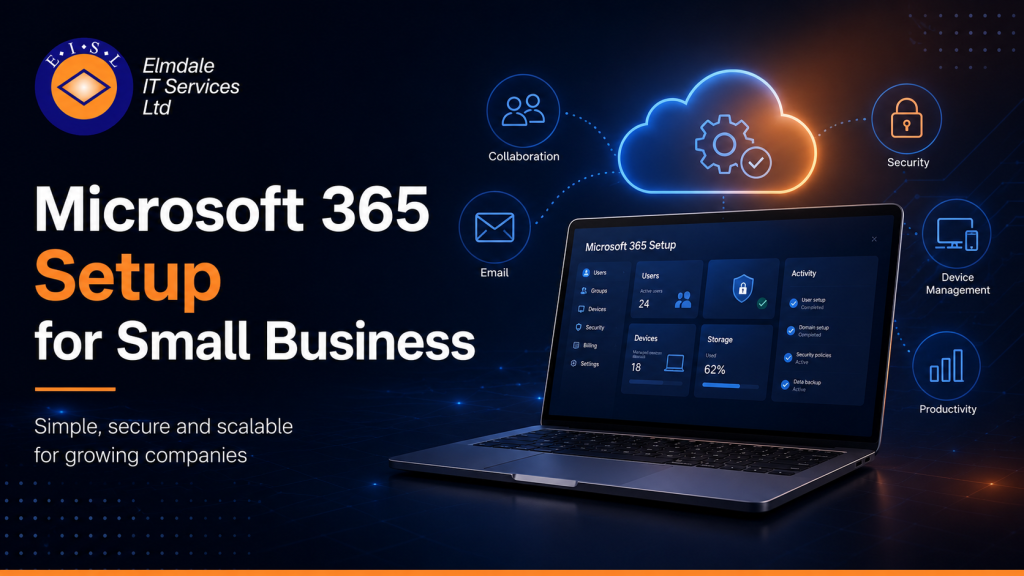
For most small businesses, that usually includes Exchange for email, Teams for communication, SharePoint and OneDrive for documents, and Entra ID for identity and access management. Depending on the licence, it may also include device management, data protection and advanced security controls. The right mix depends on your size, sector and appetite for risk.
Start with the business, not the software
One of the most common mistakes is treating Microsoft 365 as a standard package that works the same for everyone. In reality, a professional services firm, a school and a growing multi-site business will all need different settings, policies and structures.
Before anything is configured, it helps to answer a few practical questions. How do your staff work day to day? Who needs remote access? Where are files stored now? Are people using shared inboxes? Do you have compliance obligations? How quickly do you need to recover if data is deleted or a device fails?
Those answers shape the setup. They influence licence choice, security policies, file structure, mobile access, shared resources and support requirements. Skipping this stage usually leads to rework later.
Choosing the right licences without overbuying
Licensing can be confusing because Microsoft offers several plans that seem similar at first glance. For a small business, the goal is to buy what supports the organisation properly without paying for features nobody will use.
Some businesses only need reliable email, Office apps and cloud storage. Others need stronger security, device control and compliance features. Business Premium is often a sensible option for organisations that want a better level of protection and management, but it is not automatically right for everyone.
This is one of those areas where it depends. A business handling sensitive client data may need more control from the outset. A smaller team with simple requirements may start with a lighter plan and review it later. The important point is that licensing should follow business needs, not guesswork.
Email migration and domain setup need careful handling
Email is usually the first thing people notice, and the area where a poor setup causes immediate disruption. Moving to Microsoft 365 means more than creating mailboxes. Your domain records need to be updated correctly, old email needs to be migrated where required, and devices need to reconnect without leaving users stranded.
A clean migration also means deciding how shared mailboxes, aliases and distribution lists will work. Many smaller businesses have built up workarounds over the years, such as multiple people using the same login or forwarding important email to personal accounts. A migration is a good time to tidy those habits up.
Done properly, the result is a more professional and manageable email environment. Done badly, it can mean lost messages, duplicate accounts and unnecessary downtime.
Security should be built in from the start
Security is where many small organisations underestimate the setup process. Microsoft 365 includes valuable protections, but they do not protect you fully by default. A secure setup should include multi-factor authentication, sensible password policies, conditional access where appropriate, and clear controls around administrator accounts.
It is also worth looking at who can share files externally, whether users can consent to third-party apps, and how devices are allowed to connect. These sound like technical details, but they have real business consequences. One weak admin account or one overly open sharing setting can create a serious problem.
Small businesses are often targeted because attackers assume defences will be lighter. That makes getting the basics right especially important. Security does not need to be frightening or overcomplicated, but it does need to be deliberate.
File storage and collaboration need structure
A lot of organisations move to Microsoft 365 expecting Teams, SharePoint and OneDrive to sort themselves out. In practice, they need structure. Otherwise, documents end up scattered across personal storage, duplicated in different channels or shared too widely.
OneDrive is best for an individual user’s working files. SharePoint is better for team or department documents that the business needs to retain beyond one person’s role. Teams adds collaboration on top, but it should not become a dumping ground.
A sensible document structure saves time and avoids confusion. It also makes permissions easier to manage when staff change roles or leave. This is another area where a little planning early on prevents a lot of frustration later.
Devices and remote working should not be an afterthought
If your team uses laptops, phones and tablets to access business data, the setup should cover those devices as well as the cloud platform itself. That might include enrolling devices, applying security policies, separating work and personal data, and making sure lost devices can be secured quickly.
For businesses with hybrid working, this is especially important. Staff need reliable access, but the business also needs confidence that data is protected outside the office. Microsoft 365 can support this well, provided the device strategy is thought through.
The trade-off is usually between control and flexibility. A fully managed estate gives stronger oversight, while a bring-your-own-device model may suit some smaller teams better. The right choice depends on budget, risk and how your people work in practice.
User setup, permissions and leavers matter more than people think
Creating a user account is simple. Creating a supportable, secure user process is different. New starters should receive the right licence, mailbox access, file permissions and Teams membership from the beginning. Leavers should have access removed promptly, with mail and files handled properly.
This sounds administrative, but it is central to security and continuity. Businesses often run into trouble when old accounts remain active, shared access is poorly documented, or key files sit in a former employee’s personal storage.
A good Microsoft 365 environment is not just set up once and forgotten. It should be manageable as the organisation changes.
Support and ongoing review are part of the setup
Even a well-planned deployment is only the starting point. Microsoft adds features regularly, businesses evolve, and security threats change. That means your Microsoft 365 setup should be reviewed over time rather than left exactly as it was on launch day.
For some organisations, that may mean occasional consultancy and health checks. For others, especially where there is no in-house IT team, it makes sense to have ongoing support from a provider who can handle changes, troubleshoot issues and advise on the next steps.
That is often where the difference lies between a platform that quietly supports the business and one that gradually becomes difficult to control. A local IT partner with experience in Microsoft 365, security and day-to-day support can help make sure the system keeps pace with the organisation, rather than holding it back.
When small businesses should ask for help
Some smaller teams can manage a basic setup internally, particularly if requirements are straightforward. But if you are migrating from older systems, dealing with shared data, supporting remote staff or handling sensitive information, outside guidance is usually worthwhile.
The reason is simple. Most setup mistakes do not show themselves immediately. They appear months later as permission issues, security gaps, compliance concerns or support headaches. Getting it right first time is often more cost-effective than fixing a rushed implementation afterwards.
For businesses across Berkshire, Hampshire, Surrey, Dorset, Wiltshire and London, that often means working with a provider who understands both the technology and the practical reality of supporting local organisations. Elmdale IT Services takes that approach – clear advice, tailored configuration and support that fits how each organisation actually operates.
Microsoft 365 works best when it is shaped around the business, not the other way round. If your setup gives people the tools they need, protects the data you rely on and remains easy to manage as you grow, it stops being another IT system and starts becoming a dependable part of daily operations.