

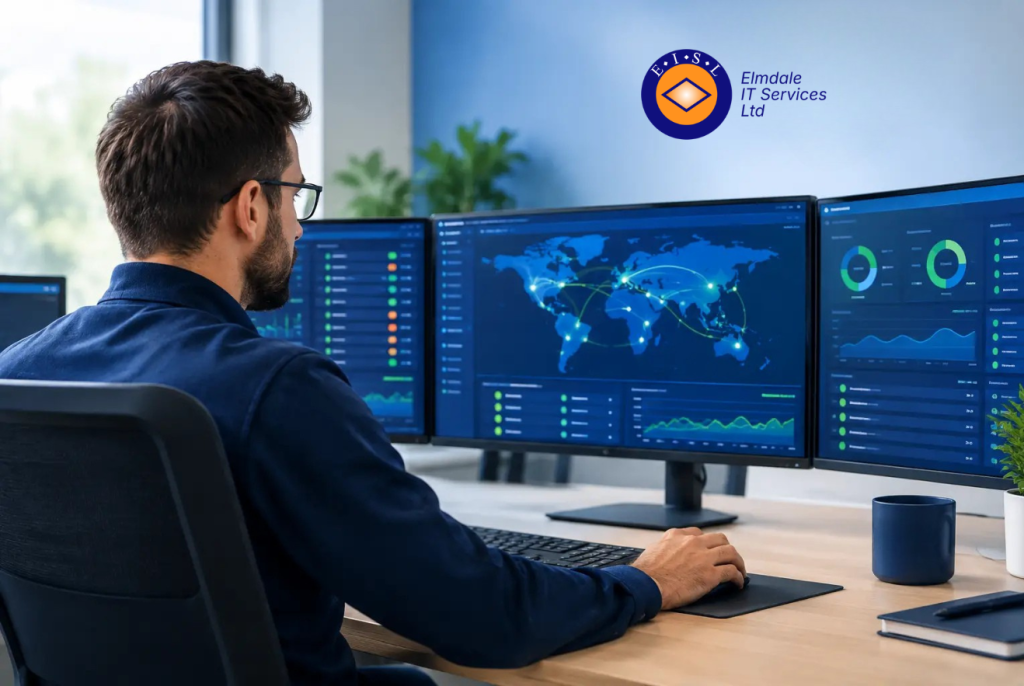
A member of staff cannot access a key cloud application. Calls are breaking up. The shared drive is slow. By the time someone reports the problem, valuable time has already been lost trying to work around it. Network monitoring software gives organisations a clearer picture of what is happening behind the scenes, often identifying the warning signs before disruption reaches staff, pupils or customers.
For businesses and schools that depend on reliable connectivity, it is not simply a technical add-on. Used properly, monitoring helps turn IT support from a reactive service into a planned, informed approach that protects productivity, security and continuity.
What network monitoring software actually does
A network includes far more than the internet connection. It may include routers, switches, wireless access points, servers, firewalls, laptops, printers, phones, cloud services and the connections between them. A fault in any one of these areas can affect day-to-day work.
Network monitoring software checks the health and performance of selected systems at regular intervals. It can record whether a device is available, how quickly it responds, how much network capacity is being used and whether key services are behaving as expected. When a reading moves outside an agreed limit, it sends an alert to the people responsible for support.
That distinction matters. Monitoring does not usually repair a fault on its own, but it gives an IT team the evidence needed to investigate quickly. Instead of starting with, “Is the internet slow for everyone?”, support staff can see whether the issue is linked to a particular site, wireless network, device, internet circuit or application.
The most useful monitoring arrangements combine live alerts with historical reporting. Live data supports a rapid response. Historical data reveals patterns that are easy to miss, such as a connection becoming congested every afternoon, an ageing switch intermittently dropping ports, or a server steadily running out of storage.
Why early warning makes a practical difference
Downtime is rarely limited to a single technical inconvenience. A lost internet connection can stop card payments, access to cloud files, VoIP calls and remote working. In a school, unreliable wireless can interrupt teaching, administration and access to learning platforms. Even a short interruption can create a long backlog.
Early warnings give organisations more options. A support provider may be able to replace a failing component outside working hours, increase capacity before a busy period or investigate unusual traffic before it affects the whole network. This is generally less disruptive and less costly than waiting for an urgent failure.
It also improves communication. When an issue occurs, decision-makers need a clear explanation of what is affected, what is being done and what the expected next step is. Accurate monitoring information helps IT support teams provide that clarity rather than relying on guesswork.
There is a sensible balance to strike. Not every brief fluctuation requires an immediate call-out, and a monitoring system that generates constant low-value alerts can hide the issues that genuinely matter. Thresholds should reflect how the organisation works. A brief increase in wireless use at the start of the school day may be normal; repeated loss of connection from a key firewall is not.
The areas worth monitoring first
The right scope depends on the size, layout and operational priorities of each organisation. However, several areas usually deserve attention from the outset.
Internet connectivity is an obvious starting point. Monitoring can show whether an outage is caused by the provider, the local router, a firewall or an internal network issue. Where continuity is critical, it can also help verify that a backup connection has taken over correctly.
Network equipment should be monitored as well. Switches and wireless access points may show signs of failure through high processor use, overheating, lost connections or unusual error rates. Identifying these signs early allows planned replacement instead of an unexpected outage.
Servers and essential services also need visibility. This may include storage capacity, processor and memory use, backup status, domain services, line-of-business applications and hosted telephone systems. The aim is not to watch every available statistic. It is to monitor the services whose loss would materially affect the organisation.
Wireless deserves particular care. A wireless network can appear available while still delivering a poor user experience due to crowded channels, weak coverage, too many connected devices or interference. Monitoring data, combined with an appropriate wireless survey where needed, helps separate a coverage problem from an internet or device problem.
Network monitoring software and cyber security
Monitoring is not a replacement for cyber security controls, but it is a valuable supporting layer. Firewalls, endpoint protection, multifactor authentication, secure backups and staff awareness all have distinct roles. Monitoring can add operational visibility across this wider environment.
For example, a sudden rise in outbound traffic, repeated failed connection attempts or an unfamiliar device on the network may justify investigation. Equally, an important security control that stops reporting should be treated as a priority. The point is not that every alert signals an attack. Normal business activity can produce unusual patterns. The point is that unusual activity should be visible to someone capable of assessing it.
For organisations working towards Cyber Essentials or strengthening their wider security posture, this evidence is useful. It supports a more disciplined approach to asset management, patching, incident response and business continuity. It can also show whether important protective systems remain online and available.
Choosing the right level of monitoring
The best solution is not necessarily the one with the longest feature list. Smaller organisations often need focused monitoring of their internet connection, firewall, core network equipment, backups and critical cloud or on-premise services. Larger or multi-site organisations may require broader coverage, more detailed reporting and defined escalation arrangements.
Before choosing a platform or service, establish what a significant disruption looks like for your organisation. Is it loss of phone service? Inability to access customer records? A failure at a remote site? Poor wireless performance in classrooms or meeting rooms? These answers should guide what is monitored and how alerts are prioritised.
It is also worth agreeing who receives notifications and what happens next. An alert sent to an unattended shared inbox does little to reduce downtime. A managed service arrangement may allow alerts to be assessed by an experienced support team, with issues escalated according to their likely business impact. For an organisation with limited internal IT resource, this can be the difference between having useful data and having a practical response.
Cost should be considered in context. Basic availability monitoring can be affordable, but deeper monitoring takes planning, configuration and ongoing review. The return comes from fewer avoidable incidents, faster diagnosis and better decisions about infrastructure investment. Where systems are business-critical, the cost of not knowing about a developing fault is often greater.
Turning data into better IT decisions
Monitoring becomes more valuable over time. Reports can show whether a leased line or broadband connection has sufficient capacity, whether an old server should be replaced, or whether a new cloud application is increasing network demand. This moves technology planning away from assumptions and towards evidence.
It can also improve conversations with third-party suppliers. If an organisation needs to raise a fault with an internet provider, clear records of outage times, response delays and packet loss are far more useful than a general report that the connection “seems unreliable”. The same applies when assessing whether a network upgrade has improved performance.
Regular review is essential. Networks change as staff numbers grow, offices move, new software is introduced or remote working requirements develop. Devices that no longer matter should be removed from monitoring, while new critical services should be added. Monitoring should reflect the current organisation, not the network that existed three years ago.
A calmer way to manage IT risk
Reliable IT is not about preventing every possible fault. Hardware fails, internet providers experience incidents and people make mistakes. The objective is to reduce the impact, spot problems sooner and respond with confidence.
A tailored monitoring approach gives organisations the information needed to do that without unnecessary technical noise. For businesses and schools across the South East and London, Elmdale IT Services can help assess which systems matter most and put practical monitoring in place alongside responsive support. The most useful next step is often a straightforward conversation about where an unexpected IT failure would cause the greatest disruption.