

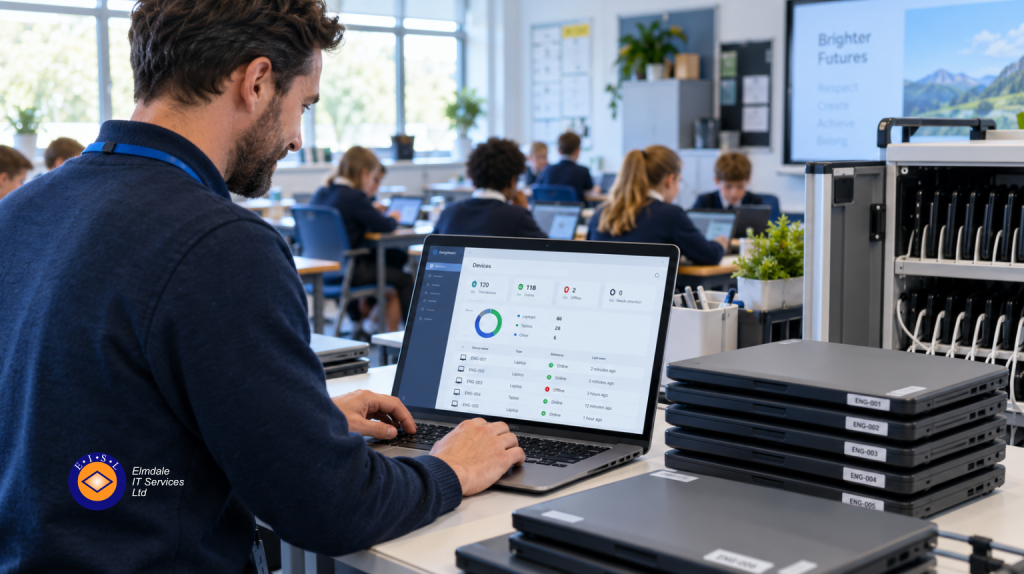
A trolley of tablets that will not connect, a laptop with an overdue update, or a pupil device that has gone missing can disrupt far more than one lesson. Effective school device management gives staff confidence that the technology issued to pupils and teachers is secure, reliable and ready to support learning when it is needed.
For schools, managing devices is not simply a technical task. It affects safeguarding, staff workload, budgets, data protection and the day-to-day classroom experience. A considered approach helps schools gain the benefit of digital learning without creating an unnecessary burden for teachers or office staff.
What school device management should achieve
Whether a school has a shared set of iPads, one-to-one Chromebooks or Windows laptops for staff and pupils, every device needs clear ownership and consistent oversight. The aim is not to control technology for its own sake. It is to make devices easier to use, safer to operate and less likely to interrupt teaching.
At a practical level, a well-managed environment should allow the school to see which devices it owns, who they are assigned to, what software they run and whether they meet the school’s security requirements. It should also make routine tasks, such as installing an approved app or resetting a forgotten password, quicker and more predictable.
The right level of management depends on the school. A small primary school using a modest number of shared devices will have different needs from a large secondary school with personal devices, multiple sites and specialist teaching software. The principle remains the same: the arrangements should fit the way staff and pupils actually work.
Start with a complete and accurate device record
Schools often inherit equipment over several years. Devices are bought through different budgets, passed between departments or retained beyond their useful life. Without a reliable record, it becomes difficult to plan replacements, investigate faults or confirm what may hold school information.
A central asset register provides a sound starting point. It should identify the device type, serial number, operating system, purchase date, assigned user or location, warranty status and condition. It is also useful to record accessories such as chargers, cases and keyboards where these are regularly lost or shared.
This information supports better decisions. It shows when a group of devices is approaching the end of its working life, highlights repeated repair costs and helps leaders budget for replacement rather than reacting to failures in the middle of term. It can also be valuable following a theft, insurance claim or safeguarding concern.
An asset register only remains useful if it is kept current. New devices should be recorded before they are issued, while broken or retired equipment should be removed promptly and disposed of securely. Giving responsibility for this process to a named member of staff, supported by IT where needed, prevents gaps from becoming normal.
Use central management to reduce manual work
Mobile device management and endpoint management platforms allow IT teams to configure and maintain devices from a central console. Rather than preparing each laptop or tablet individually, schools can apply settings, install applications and enforce security policies across groups of devices.
For example, a school may create separate profiles for pupils, teachers, senior leaders and administration staff. Each group can receive the applications and permissions relevant to its role. Pupils may have access to learning platforms and approved classroom tools, while staff devices may also receive secure remote access, printing options and management software.
Central management also makes it easier to deploy new equipment. A device can be prepared with the correct settings before it reaches the classroom, reducing setup time for staff. If a device is lost, it may be possible to lock it, locate it where appropriate, or remove school data remotely.
There is a balance to strike. Very restrictive settings can protect devices but frustrate teachers who need flexibility for a lesson or new resource. Too little control leaves schools exposed to unapproved apps, inconsistent configurations and missed updates. The best approach is to agree clear rules, review them with teaching staff and make exceptions through a simple, documented process.
Keep security and safeguarding at the centre
A school device can hold far more than coursework. It may provide access to pupil records, staff email, cloud storage, safeguarding systems and online learning platforms. That is why device management should sit alongside the school’s wider cyber security and data protection arrangements.
Strong passwords or passcodes, multi-factor authentication for appropriate accounts, encrypted storage and automatic screen locking all reduce the risk of unauthorised access. Devices should receive operating system and application updates in a controlled but timely way. Delaying every update until the holidays can leave known vulnerabilities unaddressed, while applying significant changes during a busy school day may cause avoidable disruption.
A sensible update policy usually tests major changes on a small group of staff devices before wider release. Urgent security updates should be prioritised, while feature updates can be scheduled around teaching needs. Clear communication matters here. Staff are more likely to cooperate when they know what is changing, when it will happen and who to contact if something does not work as expected.
Web filtering, age-appropriate access controls and monitoring arrangements are also important, but they should not be treated as a substitute for good device security. Filtering helps manage online access. Device management helps ensure the endpoint itself is configured, updated and protected.
Plan for the full life of every device
Buying devices is only the beginning of the cost. Schools need to allow for setup, licences, support, repairs, replacement chargers, secure storage and eventual disposal. A lower purchase price may appear attractive, but it can prove costly if the device has a short lifespan, limited management options or poor compatibility with teaching software.
A lifecycle plan sets expectations from the outset. It should cover procurement standards, how devices are enrolled and labelled, who provides first-line support, when equipment is reviewed for replacement and how it is securely wiped at the end of its life. For many schools, replacing devices in planned phases is easier to fund and manage than waiting for an entire estate to fail at once.
The choice between repairing and replacing will depend on age, performance and the cost of downtime. A cracked screen on a recent tablet may justify repair. An older laptop that struggles to run current software, needs frequent attention and no longer receives security updates is usually a stronger candidate for replacement.
Make support straightforward for staff
Teachers should not have to become device administrators to get through the school day. A clear support route means staff know how to report faults, request software or raise a concern about a lost device. It also gives school leaders useful evidence about recurring problems.
Simple guidance can prevent many avoidable incidents. Staff and pupils should understand how to store devices safely, charge them correctly, recognise suspicious messages and report problems quickly. Training is particularly valuable when new devices or systems are introduced. A short, practical session that reflects classroom routines is generally more effective than a lengthy technical presentation.
It is equally helpful to agree what happens when a device fails during a lesson. Spare equipment, loan arrangements and a defined process for urgent issues can protect learning time. Not every fault requires an immediate on-site visit, but schools need confidence that serious problems will be dealt with promptly and explained in plain English.
Measure what is working and review regularly
School device management is not a project that ends once equipment is enrolled. Termly reviews can identify devices that are repeatedly offline, applications that are no longer used, departments with higher repair rates or storage areas where assets are going missing.
Useful measures include the number of active devices, patching status, recurring support requests, repair costs and the proportion of equipment approaching replacement age. These figures help turn IT discussions from reactive complaints into informed planning.
For schools without an internal IT team, a managed support partner can provide both the day-to-day administration and the strategic perspective needed to keep the environment moving forward. Elmdale IT Services works with schools to shape practical device management arrangements around their users, budget and safeguarding responsibilities.
The most effective device strategy is often the one staff barely notice. When a teacher can begin a lesson without troubleshooting, a pupil can use technology safely, and leaders can see where investment is needed next, devices become what they should be: dependable tools that support education rather than compete with it.