

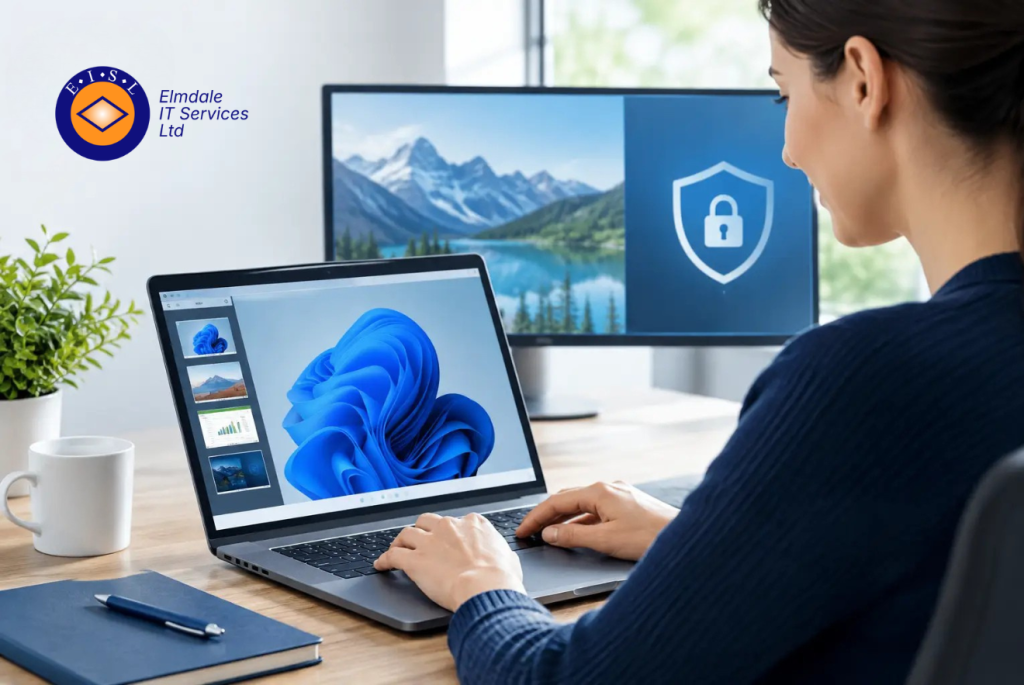
At 8.15am, a colleague working from home cannot open the finance system. A school administrator needs a file held on a desktop in the office. A director is travelling and needs access without putting sensitive information at risk. A remote desktop review should start with these everyday situations, not with a list of product features.
Remote access can make an organisation more flexible and responsive, but it also creates a route into systems that needs careful control. The right solution gives staff the access they need while protecting data, maintaining performance and giving your IT team clear visibility. The wrong one can lead to frustrating delays, weak security settings and a support burden that grows over time.
What a remote desktop review should examine
A useful review looks beyond whether people can log in from home. It should consider who needs access, which applications and files they need, where they will work, and what would happen if an account or device were compromised.
For some organisations, a simple remote support tool is enough. It allows an authorised technician to view or control a user’s device when help is needed. For others, staff need ongoing access to office-based applications, specialist software or shared data. In that case, a hosted desktop, virtual desktop environment or securely configured remote desktop service may be more appropriate.
These options solve different problems. A remote control tool is helpful for support, but it does not replace a properly managed working environment. Equally, a fully hosted desktop may be unnecessary for a small team that already uses cloud-based Microsoft 365 applications and has few legacy systems. The most suitable approach depends on your working practices, security requirements and budget.
Start with roles, not devices
The first question is not whether everyone needs remote access. It is what each role needs to do away from the office or school site. A finance manager may need access to accounting software and a secure document store. A teacher may only need Microsoft 365, cloud resources and approved classroom systems. An engineer may need access to a specialist application that is installed on one central server.
This distinction matters because broad access increases risk. Users should have permission only for the systems and information required for their role. A good design also separates administrative accounts from everyday user accounts, so high-level privileges are not used for routine work.
Review the devices involved too. An organisation-managed laptop, with updates, encryption and endpoint protection in place, is very different from a personal computer shared by a household. Bringing-your-own-device arrangements can work, but they need clear policies and technical controls. In some cases, keeping business data within a virtual desktop is safer than allowing files to be downloaded to personal equipment.
Security is the central test
Remote desktop services are frequently targeted because they provide access to valuable business systems. Convenience must never mean exposing a remote desktop service directly to the internet with a simple password as its only protection.
Multi-factor authentication should be standard. It adds a second check, such as an authenticator app or security key, so a stolen password alone is less likely to lead to a breach. Strong, unique passwords remain necessary, but they are no longer sufficient on their own.
A secure remote desktop review should also establish whether access is protected through a virtual private network, a secure access gateway or a managed cloud service. The right method will vary, but the aim is consistent: reduce unnecessary exposure and verify that only authorised users can connect.
There are several further controls that deserve attention:
- Apply security updates promptly to servers, laptops, remote desktop software and network equipment.
- Use endpoint protection that can identify suspicious activity and alert the support team.
- Encrypt managed laptops and protect accounts with sensible lockout and sign-in policies.
- Keep detailed logs of remote connections and review unusual activity.
- Remove access quickly when staff leave, change role or no longer require it.
Backups remain part of the picture. Remote access does not cause ransomware, but a poorly secured account can give an attacker a route to encrypt data or interfere with systems. Reliable, tested backups and a documented recovery plan give the organisation options if the worst happens.
Do not overlook the human element
A technically sound platform can still be undermined by a convincing phishing email or a rushed decision. Users should know how to recognise unexpected sign-in prompts, password reset requests and requests for remote control. They should also know who to contact if something does not look right.
Training need not be complicated. Short, regular guidance in plain English is usually more useful than a lengthy policy that nobody reads. Staff are far more likely to follow security procedures when they understand how those procedures protect their own work as well as the organisation.
Performance affects whether people will use it properly
Remote desktop systems can feel slow for reasons that are not immediately obvious. Home broadband quality, Wi-Fi coverage, older devices, server capacity and the type of application all affect the experience. A solution that works well for email and documents may struggle with graphics-heavy software, large spreadsheets or applications that rely on local hardware.
Test realistic workloads before making a wider change. Ask a small group of users to carry out normal tasks from different locations and networks. Measure sign-in times, application responsiveness, printing needs and the ability to join video calls. This gives a clearer picture than a basic test carried out from one office connection.
It is also worth planning for growth. If five employees connect remotely today but 30 may need access after a restructure, the underlying infrastructure, licensing and internet connection must support that change. Planning ahead is often more cost-effective than redesigning the service after performance has already become a problem.
Support and accountability matter just as much
When remote access fails, the impact is immediate. A member of staff may be unable to work, or a time-sensitive task may be held up because a key application cannot be reached. That is why the support model should form part of the decision, rather than being considered after implementation.
Clarify who monitors the service, who applies updates, who can add or remove users, and how quickly assistance is available when there is a problem. A supplier may provide the software, but responsibility for devices, identities, local networks and daily user support can still sit elsewhere. Gaps between providers often lead to delays and uncertainty.
For organisations across Berkshire, Hampshire, Surrey, Dorset, Wiltshire and London, local support can be particularly valuable where remote troubleshooting is not enough. A partner that understands the existing environment can investigate the full chain, from the user’s laptop and Wi-Fi connection to the server, cloud service or firewall involved.
Elmdale IT Services approaches remote working as part of the wider IT estate. That means considering cybersecurity, Microsoft 365, network capacity, backup arrangements and day-to-day support together, rather than treating remote desktop access as an isolated purchase.
Make the decision against clear criteria
Before selecting or renewing a solution, document the outcomes you need. This might include enabling staff to work securely from home, giving a support provider controlled access to devices, keeping sensitive files off personal machines, or maintaining access to a critical legacy application.
Then assess each option against security, usability, performance, cost, scalability and support. The least expensive option can become costly if it creates regular disruption or requires frequent manual intervention. Conversely, the most feature-rich platform may be poor value if the majority of staff only need secure cloud application access.
A short pilot, clear access policy and regular review will help keep the service aligned with how your organisation actually works. Remote access should make work easier without asking staff to trade away security or reliability. When that balance is right, it becomes a dependable part of the working day rather than another source of IT uncertainty.